Sympatec Laser Diffraction Systems
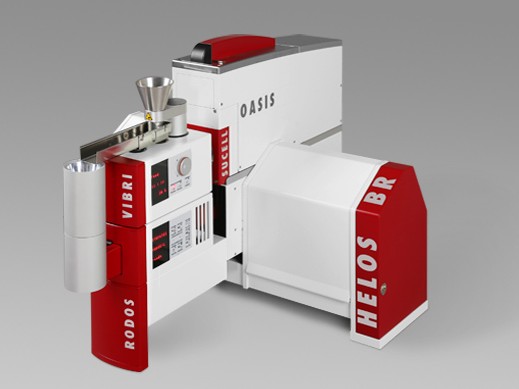
HELOS laboratory and MYTOS process laser diffraction for powders, granules, suspensions, emulsions, and sprays from below 0.1 µm to 8,750 µm.
View product


Control and evaluation software for all Sympatec instruments, with ISO method support and FDA 21 CFR Part 11 for regulated laboratories.
Key specifications
Sympatec PAQXOS Software
Request a quoteOverview
PAQXOS is Sympatec’s application software for instrument control, measurement, and evaluation across laser diffraction, dynamic image analysis, ultrasonic extinction, and dynamic light scattering. It succeeds WINDOX and runs on current Windows 11 stations.
Method and reporting support includes ISO 13320, 13322, 22412, 20998, and 9276. For pharmaceutical and other regulated laboratories, PAQXOS provides FDA 21 CFR Part 11 electronic records and signatures so HELOS, QICPIC, NANOPHOX, and related systems can sit in a validated workflow.
Al-Shaker includes PAQXOS configuration, operator training, and validation support with the instrument — not a sensor delivered without a working method.
Specifications
3 parameters
The same software family for HELOS, QICPIC, NANOPHOX, NIMBUS/OPUS, and their dispersing units.
Built around the particle-size and shape standards laboratories already write into SOPs.
Electronic records and signatures for validated pharmaceutical particle characterisation.
Al-Shaker specifies the configuration, documents the system, and supports it across Jordan, the GCC, and MENA.
Consult
Plan
Supply
Install
Train
Support
HELOS laboratory and MYTOS process laser diffraction for powders, granules, suspensions, emulsions, and sprays from below 0.1 µm to 8,750 µm.
View product
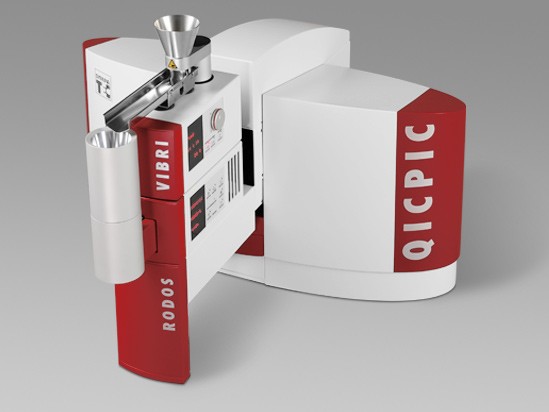
QICPIC laboratory and PICTOS process image analysis for particle size and shape from 1 µm to 34,000 µm.
View product
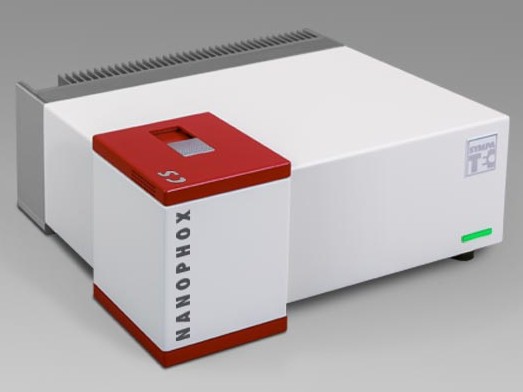
Photon cross-correlation (PCCS) for nanoparticles in turbid suspensions and emulsions from 0.5 nm to 10,000 nm, without extreme dilution.
View product
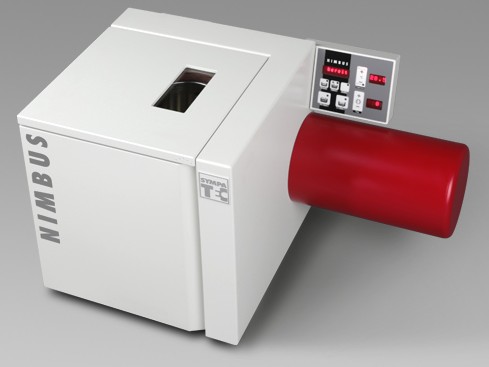
NIMBUS laboratory and OPUS process analysers for particle size and concentration in suspensions and emulsions from below 0.1 µm to 3,000 µm.
View product
Talk to the technical team
Share the workflow, capacity, and compliance constraints. We respond with a recommended configuration, not a generic catalogue list.